The character sheet
Your sheet works out the numbers from your class, species, background, items and features: armor class, attacks, saves, skills, spellcasting and more. During play you track what changes: hit points, uses of your features, spell slots, conditions.
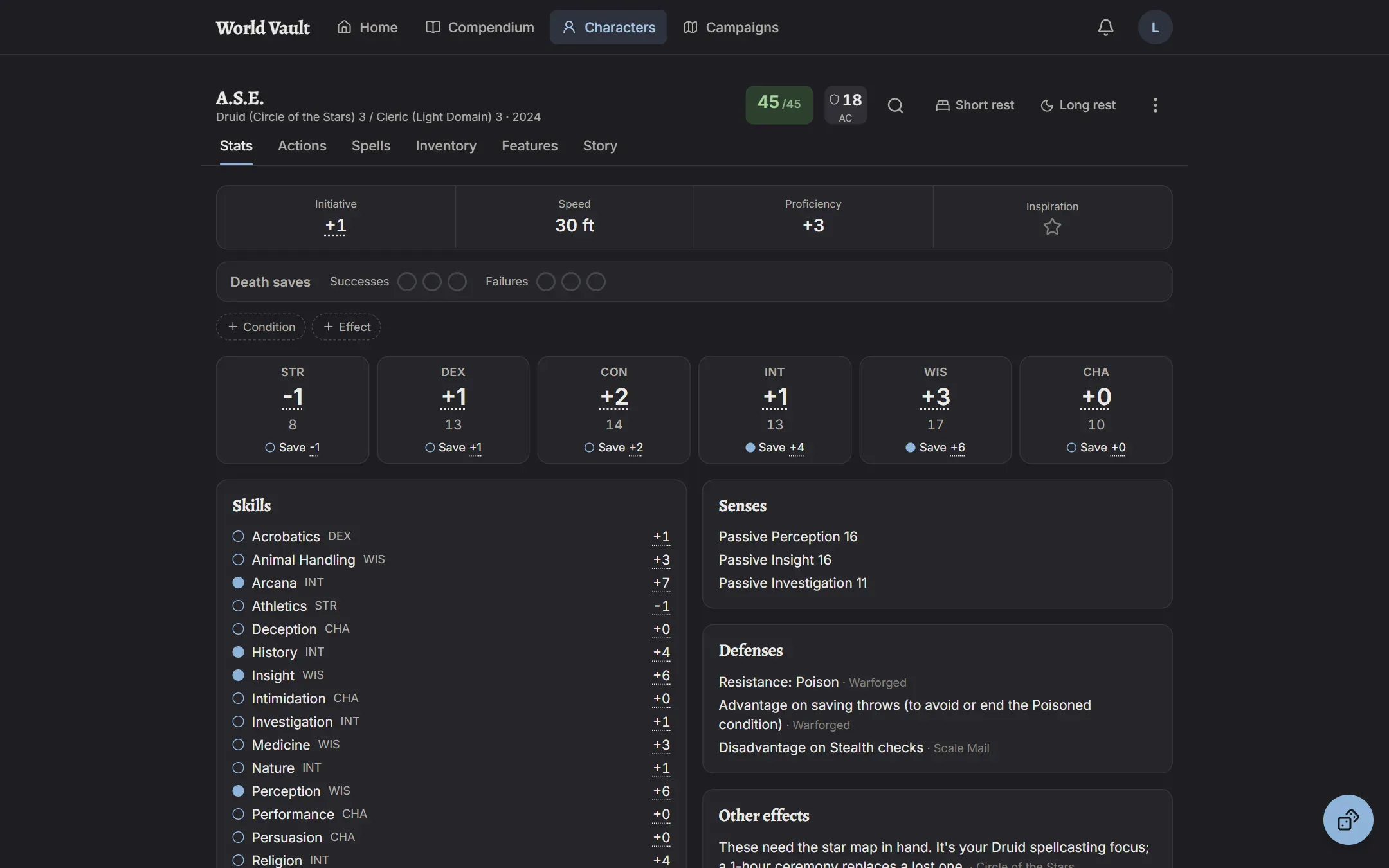
The header
Section titled “The header”- Hit points. Tap to take damage, heal, or add temporary hit points.
- Armor class. Tap to see how it’s made up.
- Quick lookup (magnifying glass): search the rules without leaving the sheet.
- Short rest and Long rest restore what each rest restores. A short rest lets you spend hit dice.
Below the header: initiative, speed, proficiency bonus, inspiration, and death saves, which are always shown and turn loud at 0 HP. Conditions, effects and what you’re concentrating on appear as chips, with + Condition and + Effect to add more.
The tabs
Section titled “The tabs”- Stats: ability scores, saving throws, skills and passive scores.
- Actions: your attacks and everything you can do on your turn, grouped by action, bonus action, reaction and limited use.
- Spells: your spells, slots and spellcasting numbers. See Spells.
- Inventory: items, equipping and attunement, and coins. See Inventory and items.
- Features: everything your class, species, background and feats give you.
- Story: appearance, personality, backstory and notes.
- Extras: companions, familiars and Wild Shape forms. See Companions.
Trackers: tick a box to spend a use
Section titled “Trackers: tick a box to spend a use”Limited uses (Rage, spell slots, Channel Divinity, hit dice and so on) are boxes. Tick a box to spend a use, untick it to get one back. The count beside them shows how many are left (“1/2 left”). Large pools show a counter with − and + instead.
Switches
Section titled “Switches”Features you turn on and off, like Raging or a starry form, are switches. While a switch is on, its bonuses apply. If you stop meeting its requirements (say, you put on heavy armor while raging), the sheet tells you; it never turns the switch off for you.
Rolling
Section titled “Rolling”Tap almost any number to roll it with your sheet’s math included. See Rolling dice.