A quick tour
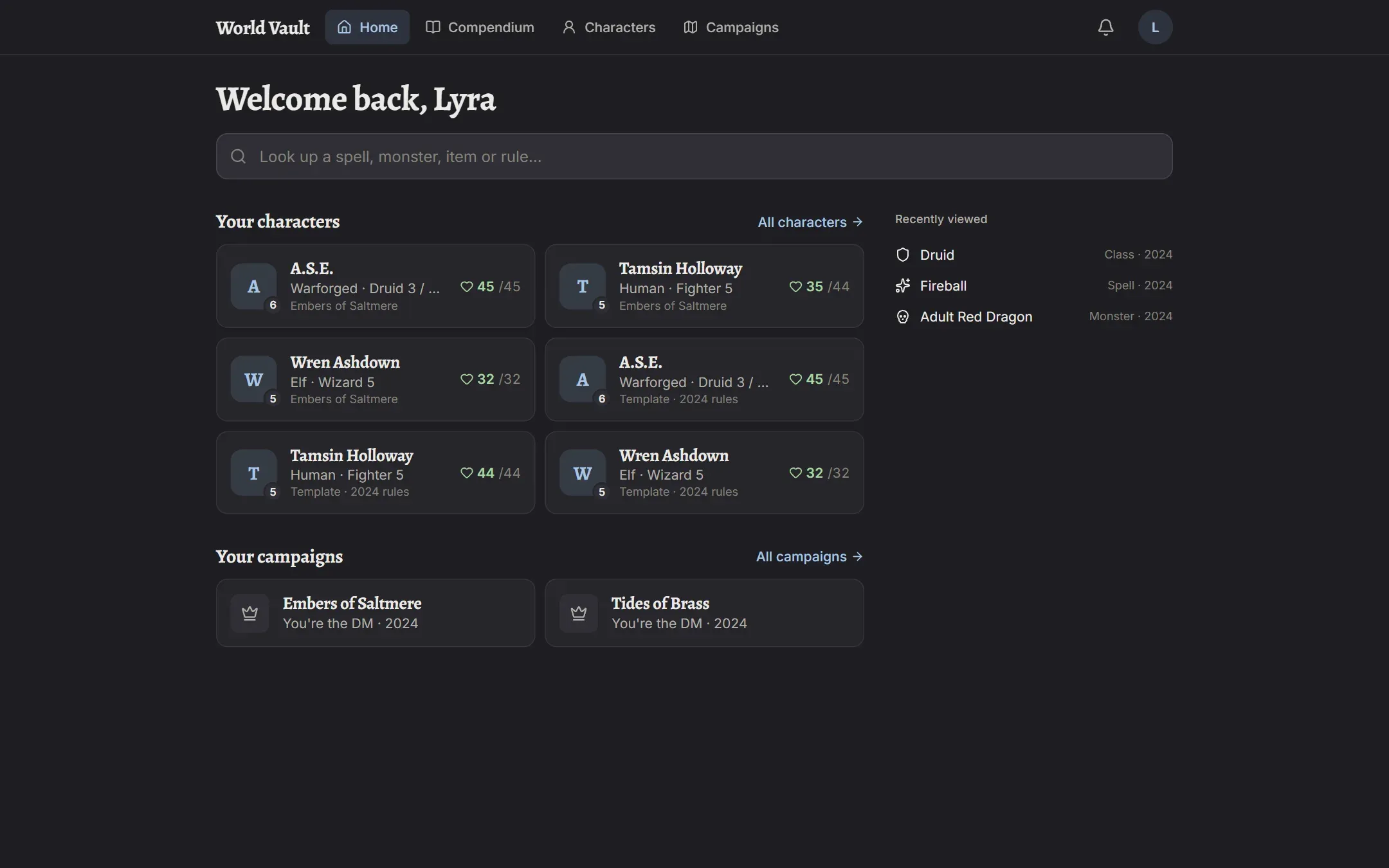
The top bar
Section titled “The top bar”- Home shows your characters, your campaigns, recently viewed rules, and a search box for the Compendium.
- Compendium is the rules library: search, filter and read any entry.
- Characters lists your character templates and their campaign copies.
- Campaigns lists the settings you write and the campaigns you run or play in.
- The bell opens your notifications.
- Your initials open your menu: Account, Requests & bugs, Report a problem here, What’s new, Notification settings, the light/dark theme, Help, and Sign out.
On a phone, the main sections move to a bar at the bottom of the screen.
Notifications
Section titled “Notifications”The bell shows new notifications: a session was confirmed, the DM left a note on your character, something you reported was fixed, and so on. You choose which ones you get, and which also come as push notifications to your phone or computer, under Notification settings. See Notifications.
What’s new
Section titled “What’s new”When World Vault is updated, a dot appears on your initials. What’s new lists every update, newest first.
Something wrong, or an idea?
Section titled “Something wrong, or an idea?”Use Report a problem here from any page (it remembers where you were) or open Requests & bugs to see what others have reported and upvote it. See Requests and bugs.
Install it like an app
Section titled “Install it like an app”World Vault works in any modern browser. On a phone you can add it to your home screen (on iPhone: Share → Add to Home Screen) so it opens like an app; on iPhone that’s also what lets push notifications work.